Connecting the assistant is something you do once, in two minutes, and it needs no technical skills: you give it our server's address, it opens our page, you sign in to the account and click "Authorize". From then on you ask it for the letter in conversation, as you would ask a person. The account itself is in Portuguese; the assistant will happily talk to you in English on top of it. Pick your assistant and follow the steps.
Claude
At claude.ai, in the app or on your phone.
A free account at conta.cartaregistada.pt, which you can also open during the connection.
https://conta.cartaregistada.pt/mcp- 1
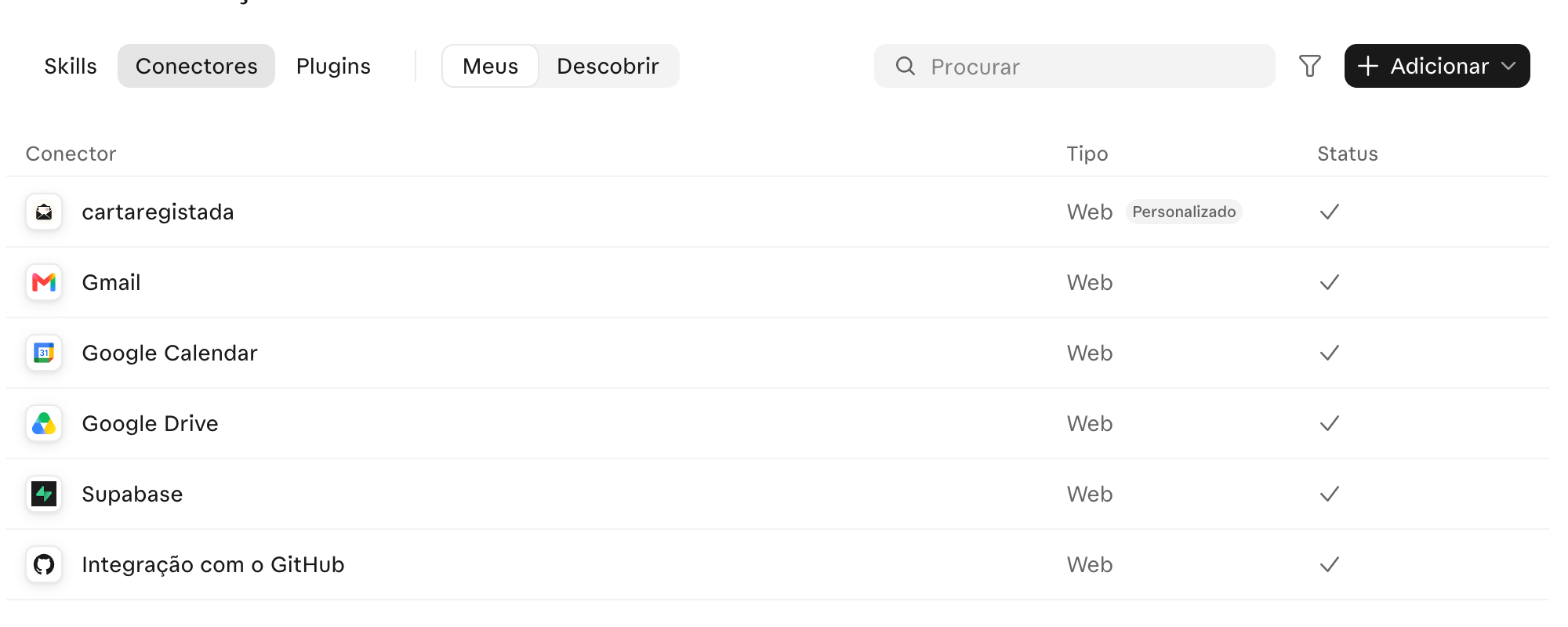
Open the connectors
Customization › Connectors › "Add" › "Add custom connector".
- 2
Give it the name and the address
Name "cartaregistada" and, as the "MCP server URL",
https://conta.cartaregistada.pt/mcp. "Continue" (it is step 1 of 2) and then "Add".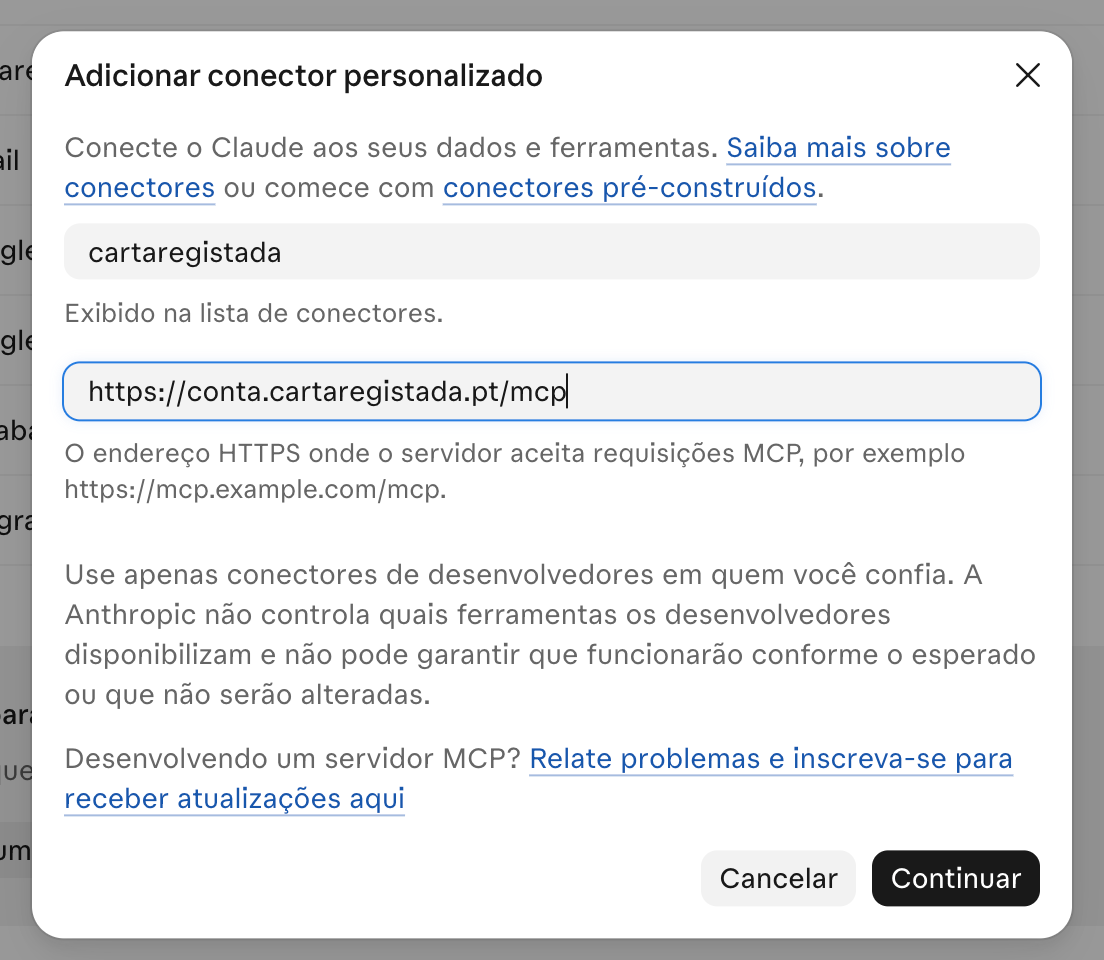
- 3
Link the account
In the connector, "Link": our page opens; sign in with the emailed code if needed and click "Authorize" (in Portuguese, "Autorizar").

- 4
Ask for the letter
In a new conversation: "I want to send a registered letter"
If you use Claude in Chrome or ChatGPT agent mode, you can ask it to make this connection for you.
ChatGPT
At chatgpt.com. The free ChatGPT account is enough.
A free account at conta.cartaregistada.pt, which you can also open during the connection. The free ChatGPT account is enough.
https://conta.cartaregistada.pt/mcp- 1
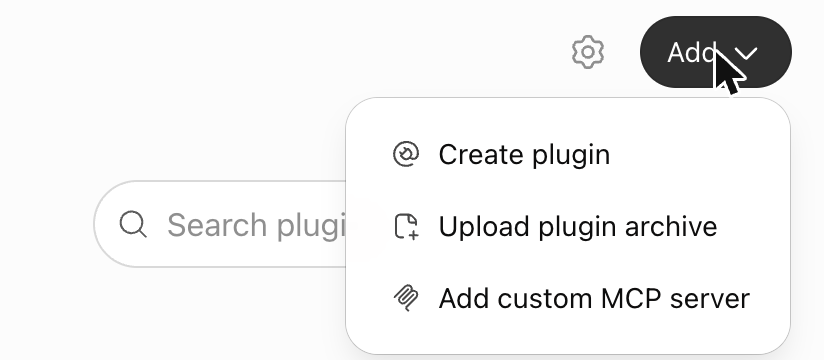
- 2
Give it the name and the address
Name "cartaregistada.pt", Server URL
https://conta.cartaregistada.pt/mcp, Authentication "OAuth", tick "I understand and want to continue" and "Create as a plugin".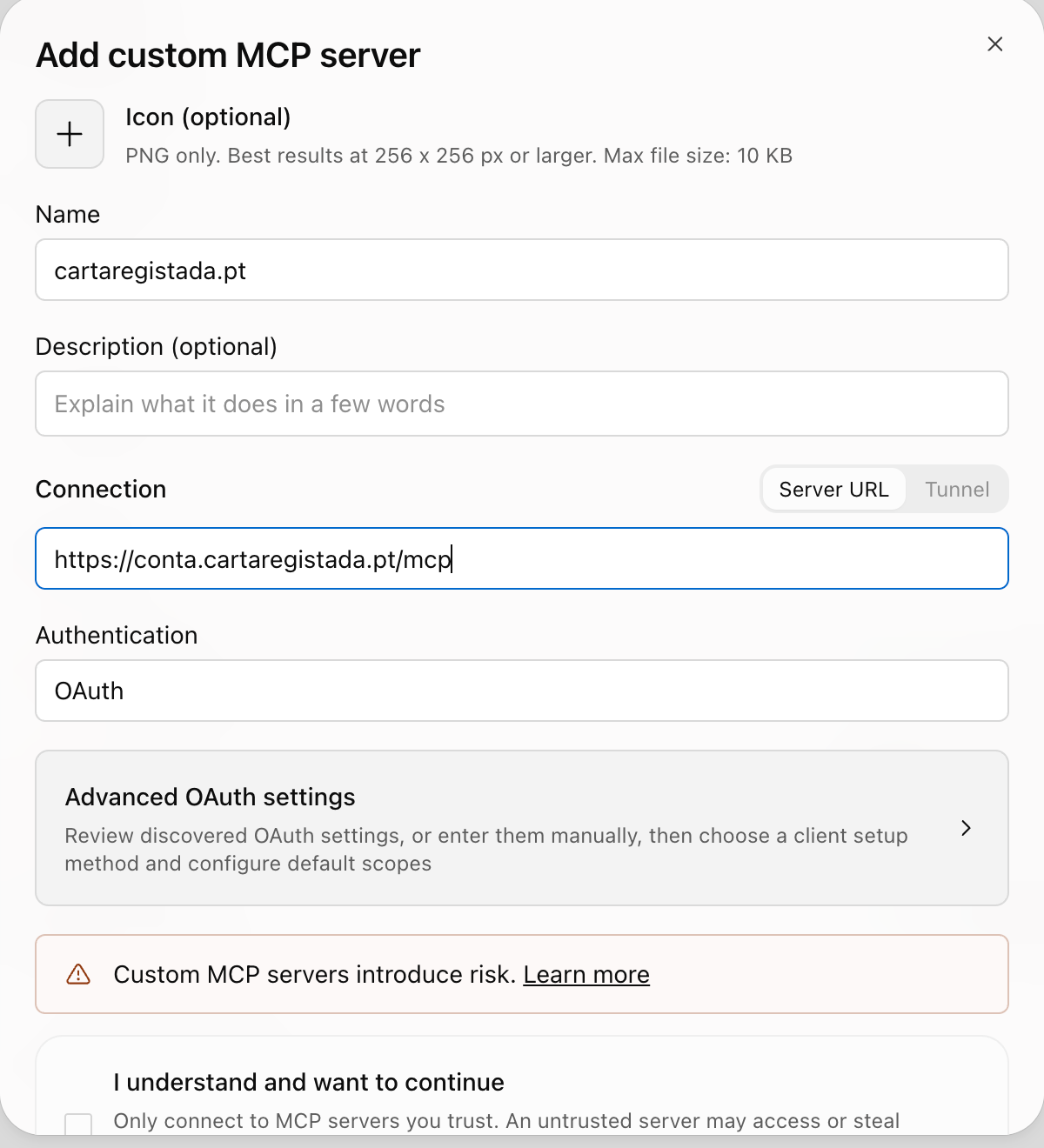
- 3
Connect the account
"Connect": our page opens, sign in if needed and click "Authorize" (in Portuguese, "Autorizar").
- 4
Ask for the letter
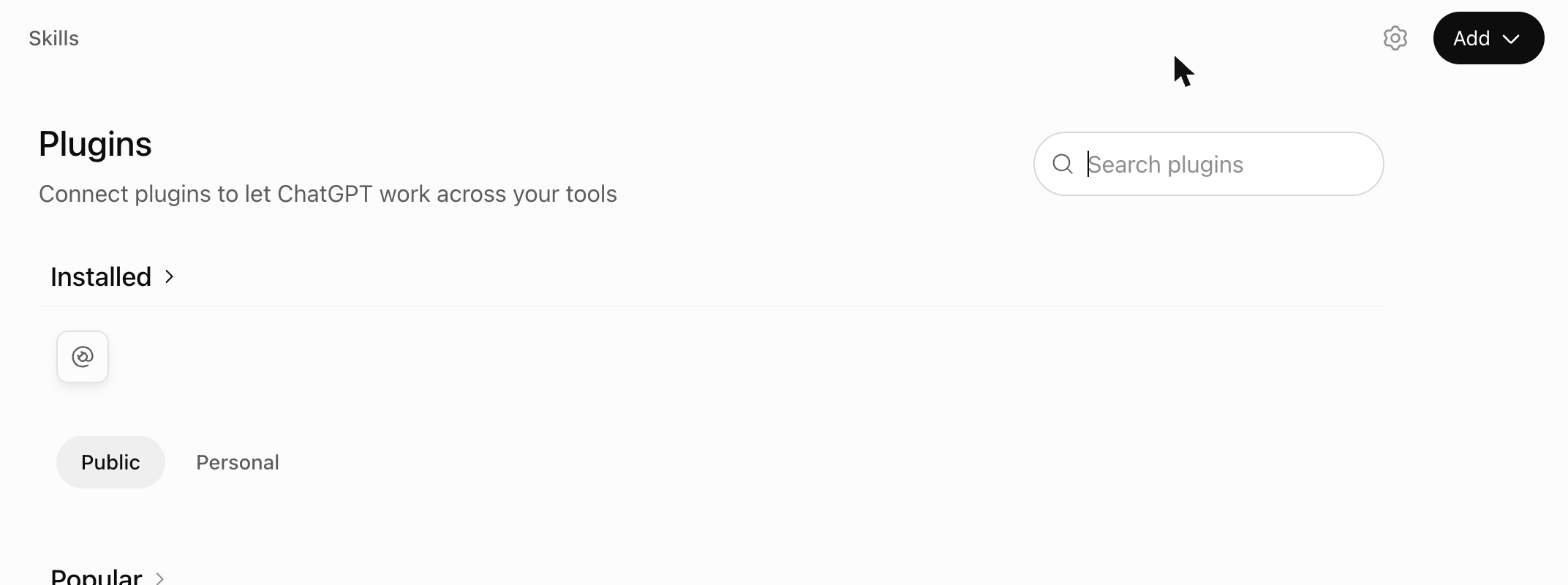
In a conversation: "Use the cartaregistada.pt app to send a letter"
If you use Claude in Chrome or ChatGPT agent mode, you can ask it to make this connection for you.
Perplexity
In Perplexity Computer, at perplexity.ai.
A free account at conta.cartaregistada.pt, which you can also open during the connection, and the plugin file from step 1.
https://conta.cartaregistada.pt/mcp- 1
Download the plugin file
cartaregistada-perplexity.zip: a small file that tells Perplexity where our server is. Save it; you do not need to open it.
- 2
Upload the plugin
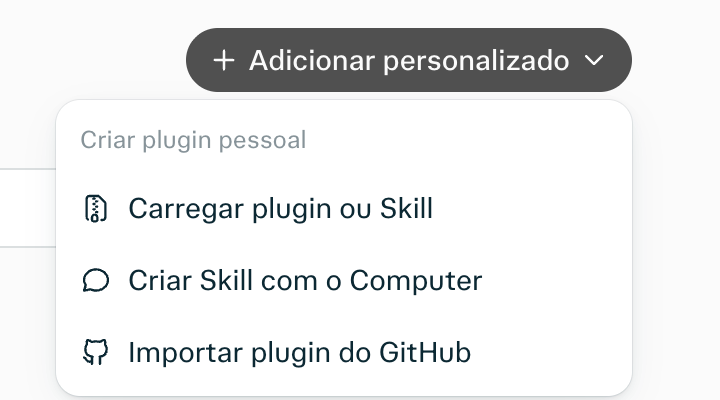
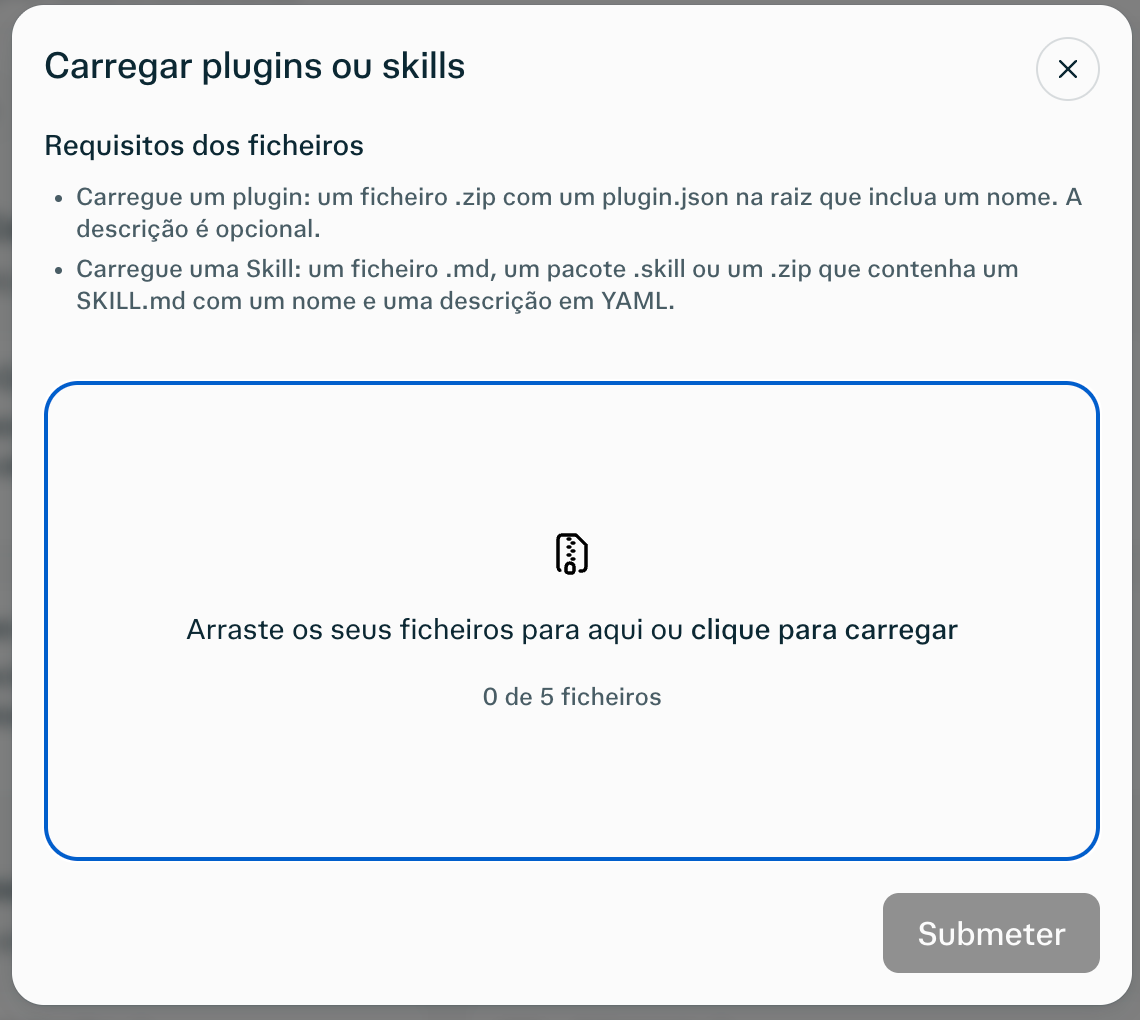
Plugins › "Add custom" › "Upload plugin or Skill", drag the file into the box and "Submit".

- 3
Connect the account
In the connector, connect the account: our page opens, click "Authorize" (in Portuguese, "Autorizar").
- 4
Ask for a quote
In Computer mode: "Get me a quote for a registered letter"
If you use Claude in Chrome or ChatGPT agent mode, you can ask it to make this connection for you.
What the assistant does and what it never does
Does
- The quote, with the mail type, the page count and the options.
- The letter, from text it writes itself or from a file you give it (PDF or image).
- The same letter to a whole building: up to 200 recipients, with a single payment.
- The status of each letter, with the CTT registration number.
Never does
- Pay. Payment is a Stripe link that you open yourself; without it the letter does not go out.
- Send outside Portugal. The recipient and the sender have an address in Portugal.
- Give legal advice. It writes the letter you ask for, with the facts you give it.
We hand the letter to CTT within 2 business days after payment (urgent: the next business day); delivery is CTT's and usually takes 1 to 7 days.
Removing access
Whenever you want, under Account › Security › Connected applications › Remove access (in Portuguese: Conta › Segurança › Aplicações ligadas › Remover acesso). The assistant can no longer talk to the account from that instant, until you authorize it again. "Sign out of all devices" also removes every connection.
Frequently asked questions
Do I have to pay anything to connect the assistant?
No. The cartaregistada.pt account is free, with no monthly fee and no card, and so is the connection. You pay for each letter when you send it, at the account's prices: €14.99 for a registered letter with proof of receipt, and €12.49 from the 10th letter on, VAT and postage included. The connection is free in all three; each assistant has its own plans.
Does the assistant get my password?
No. When you connect, it is our page that opens in your browser: you sign in yourself, with the emailed code or your password, and click Authorize. The assistant only receives an authorization to act in the account, which you can remove at any time under Account › Security › Connected applications.
What can the assistant see in my account?
What the account page shows, and nothing more: the prices, the saved senders and the list of letters with the recipient, the status and the CTT registration number. It never receives the text or the file of a letter already in the account.
Can I connect more than one assistant?
Yes. Each one makes its own connection and appears in the list of connected applications, under Account › Security. You remove one's access without touching the others.
For developers and agents
The MCP server is at https://conta.cartaregistada.pt/mcp and serves any MCP client, not only the three above.
Transport: Streamable HTTP (JSON-RPC 2.0 over POST /mcp), with OAuth 2.1 and dynamic client registration; discovery is at /.well-known/oauth-authorization-server on the same host.
An example .mcp.json:
{"mcpServers": {"cartaregistada": {"type": "http", "url": "https://conta.cartaregistada.pt/mcp"}}}
In Claude Code, one line:
claude mcp add --transport http cartaregistada https://conta.cartaregistada.pt/mcp
The 9 tools (orcamento, localidade_do_codigo_postal, remetentes, enviar_carta, estado_da_carta, cartas, enviar_lote, estado_do_lote, lotes) come back from tools/list.
The instructions for agents are in the llms.txt, and the server's code is public at github.com/Talhabestaz/cartaregistada-mcp.